Welcome to ITfiers, your trusted provider of Google Workspace services. We offer a comprehensive suite of cloud-based productivity tools designed to enhance collaboration and streamline workflows for businesses of all sizes.
Get in touch
Welcome to ITfiers, your trusted provider of Google Workspace services. We offer a comprehensive suite of cloud-based productivity tools designed to enhance collaboration and streamline workflows for businesses of all sizes. With Google Workspace, you can empower your team to communicate seamlessly through Gmail, organize schedules effortlessly with Google Calendar, create and edit documents collaboratively with Google Docs, Sheets, and Slides, securely store and share files with Google Drive, and conduct virtual meetings and conferences with Google Meet. Our team is here to assist you in setting up and optimizing Google Workspace, ensuring smooth adoption and maximizing productivity. Experience the power of Google Workspace today and take your organization’s efficiency to new heights.
Why to embark on this journey?
With Google Workspace, you can access your files and applications from anywhere with an internet connection. The cloud-based nature of the suite ensures that your work is automatically saved and synced across devices, enabling seamless transitions between desktop, laptop, and mobile devices.
Google Workspace enables real-time collaboration among team members, allowing them to work together on documents, spreadsheets, and presentations simultaneously. Multiple users can edit files, leave comments, and track changes, fostering efficient teamwork.
Google Workspace offers a suite of communication tools, including Gmail and Google Meet, enabling efficient and effective communication within and outside your organization. You can easily manage emails, schedule meetings, conduct video conferences, and collaborate in real-time.
Google Workspace provides robust security measures to protect your data. It includes features like two-factor authentication, data encryption, spam filtering, and advanced security controls. Additionally, Google's infrastructure ensures high reliability and uptime.
WHAT CAN YOU GET ON THIS JOURNEY?
Utilize Google Apps Script to create custom automation solutions for streamlining repetitive tasks and workflows. You can develop scripts to automate data entry, generate reports, send email notifications, and integrate different Google Workspace applications.
Leverage Google Docs to develop collaborative document solutions for teams. Enable real-time editing, commenting, and version control, allowing multiple users to work on documents simultaneously. Implement document templates, automated formatting, and approval workflows for efficient document management.
Develop custom solutions using Google Sheets to automate data analysis, reporting, and visualization. Create dynamic dashboards, data tracking systems, and data entry forms to facilitate data-driven decision-making processes.
Utilize Google Forms to develop surveys, quizzes, and data collection solutions. Build custom forms with conditional logic, validation rules, and data validation. Collect responses, analyze data, and generate reports or trigger actions based on form submissions.
Develop solutions using Google Drive to enhance file management and collaboration. Enable secure file sharing, access controls, and version history. Build document approval workflows, automate file organization, and integrate with other business applications.
Utilize Google Calendar to develop calendar-based solutions. Build event scheduling systems, appointment booking tools, and resource management systems. Integrate calendar data with other applications and automate calendar-related tasks.
Utilize Google Sites to develop custom websites for internal or external use. Create intranet portals, project wikis, team collaboration spaces, and knowledge bases. Customize layouts, embed content, and integrate with other Google Workspace applications.
Utilize Google AppSheet to develop custom mobile apps without writing code. Build data-driven apps that integrate with Google Sheets and Google Forms, allowing for data collection, workflow management, and offline data access.
OUR JOURNEY TOOLS KIT
 Google Apps Script
 Google Drive
 Google Sheets
 Google Calendar
 Google Docs
 Gmail
Gmail Google Forms
 Google AppSheet
How To Move On This Journey?
ITfiers recommended Automation/Integration Project Life Cycle is a step-by-step framework that guides us through each stage of the project, ensuring a smooth and successful implementation. Let’s take a closer look at each phase:
We start by thoroughly understanding your business processes and goals. We identify areas where automation and integration can bring significant benefits, such as reducing manual tasks or improving collaboration between different systems or departments.

Our experts work closely with you to design a customized solution that aligns with your specific needs. We take care of the technical aspects, creating workflows, and developing automation scripts or configuring integrations. Throughout this phase, we keep you informed and seek your feedback to ensure the solution meets your expectations.
Before deploying the solution, we conduct testing to ensure its functionality, reliability, and accuracy. This testing phase allows us to identify and fix any issues or glitches, ensuring a seamless experience for your team.
Once the solution is thoroughly tested and approved, we move forward with the deployment phase. Our team handles the implementation process, including any necessary training for your staff, ensuring a smooth transition to the new automated and integrated processes.
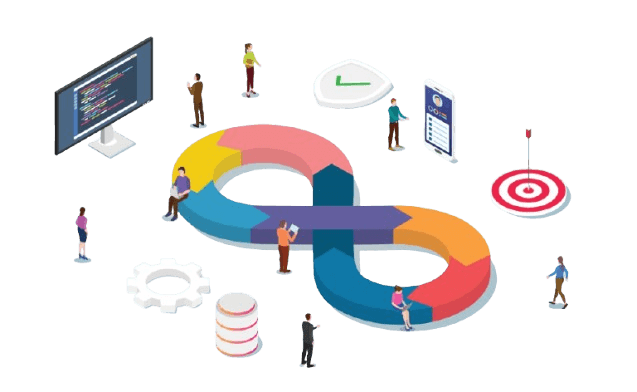
We understand that technology evolves, and your business needs may change over time. That's why we offer ongoing monitoring and maintenance services to ensure your automation and integration solutions remain efficient and effective. We proactively monitor performance, address any issues, and provide support as needed.
Iteratively improving the solution based on feedback and evolving business needs, identifying opportunities for further automation and integration.
Let's Start Your Journey With US
Take your business to new heights with ITfiers as your technology partner. Schedule a complimentary consultation to discuss your vision and let us create a customized solution that drives your business forward.